If you’re a US citizen planning international travel in 2026, getting a compliant passport photo has gotten more complicated — and more consequential. The State Department’s revised enforcement policies now reject any photo that has been digitally modified — filtered, retouched, or otherwise altered — which effectively disqualifies a number of popular apps. We tested PhotoGov across both its web platform and mobile app to find out whether it actually delivers compliant results, whether the free tier holds up, and where it falls short. Here’s what we found.
What Is PhotoGov?
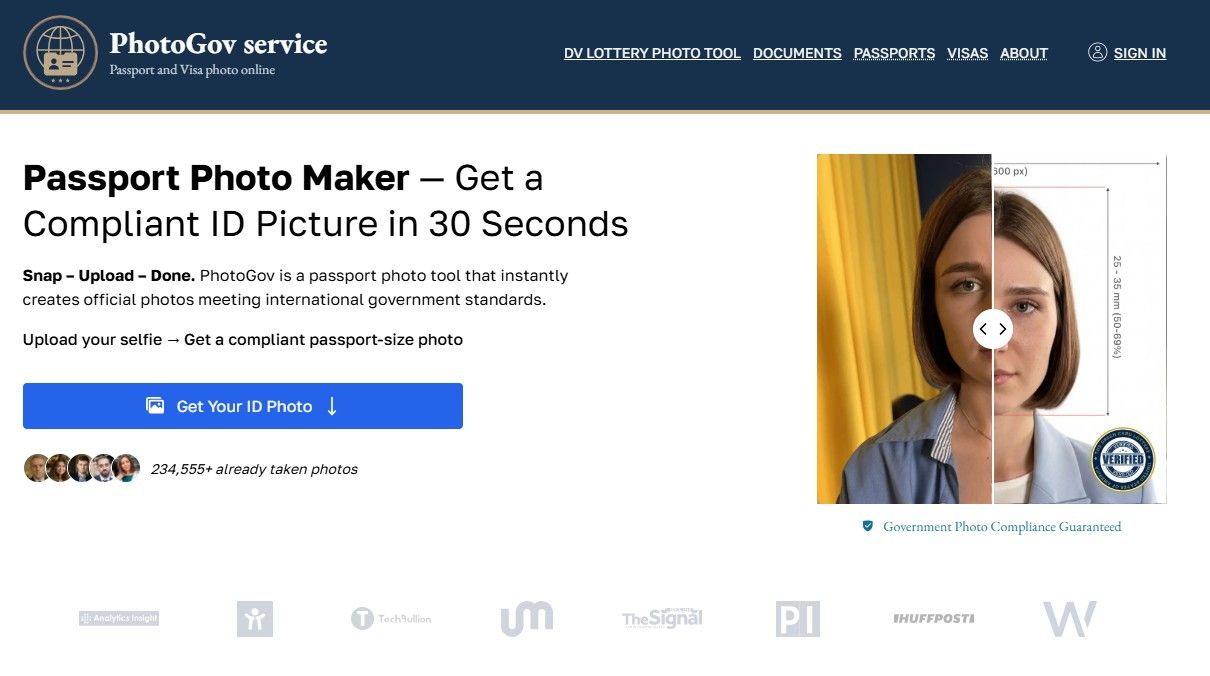
PhotoGov is an online and mobile passport photo service that takes a photo you upload and automatically formats it to meet official government ID requirements — correct dimensions, proper head sizing, white background, and compliant resolution — then delivers a download-ready digital file or print-ready layout. It supports US passports, visas, Green Cards, UK passports, EU Schengen visa photos, and over 900 document types across 200+ countries. Unlike conventional photo editing software, it performs a compliance check against ICAO 9303 biometric standards and U.S. State Department specifications without retouching or altering your face.
How It Works: A Step-by-Step Walkthrough
The full process — from opening the app to having a government-ready photo in your downloads folder — takes under two minutes. Here’s exactly what happens at each stage.
Step 1: Choose Your Platform Open PhotoGov in any modern browser on desktop or mobile, or download the app from the App Store (iOS) or Google Play (Android). No account creation is required at this point. The web version and the app follow essentially the same flow, so the choice comes down to convenience. If you’re in a hurry or don’t want to install anything, the browser-based version works fine.
Step 2: Select Your Document Type Choose the document you need the photo for — US passport, US visa, Green Card, UK passport, Schengen visa, or any of the 900+ other supported types. PhotoGov automatically loads the correct size, resolution, background, and head-ratio specifications for that document. You don’t need to know the technical requirements yourself; the tool handles them.
Step 3: Upload or Take Your Photo On mobile, you can take a photo directly through the app or upload one from your camera roll. On desktop, you upload an existing file. PhotoGov does not apply Portrait Mode, filters, or any enhancements — so make sure your source photo is taken in good natural light against a plain white or off-white wall, with your face centered and your expression neutral. This is the one step where the quality of your result depends entirely on you.
Step 4: Review the Compliance Check Once uploaded, PhotoGov runs an automated check against the specifications for your selected document — head size ratio, eye position, background color, resolution, and lighting consistency. You receive a pass or fail result with specific feedback. If something is off, you can retake and resubmit. There is no penalty for retries.
Step 5: Choose Free or Express Download After your photo passes the compliance check, you have two options. Submit your email address for free delivery — your formatted photo arrives in approximately 40 seconds. Or pay $4.90 for instant, full-resolution express download with no wait. For most applicants, the free tier is perfectly usable. The express tier makes sense if you’re working against a deadline.
Step 6: Use It Digitally or Print at a Pharmacy The output is a State Department–ready JPEG sized for direct upload to the online passport renewal portal, or a print-ready layout you can take to any Walgreens or CVS photo kiosk and print for around $0.35–$0.40. That brings your total cost — even on the paid express tier — to well under $6, compared to $16.99 at the pharmacy counter with no compliance check performed.
Ready to try it? Head to PhotoGov passport photo to get your compliant photo in under two minutes.
Pros and Cons
After testing PhotoGov across multiple document types on both web and mobile, here’s an honest assessment of where it delivers and where it falls short.
|
Pros |
Cons |
|
Free tier is genuinely usable — not a stripped-down teaser designed to push you toward a paid plan |
No built-in human expert review — automated compliance checking can miss borderline issues like uneven lighting or a slight head tilt |
|
On-device processing on mobile means your biometric photo data never leaves your phone — a meaningful privacy distinction, especially for children’s passport photos |
Free tier requires an email address and a ~40-second delivery wait — not instant |
|
Fully compliant with the State Department’s 2026 zero-tolerance policy on digital alteration — no beauty filters, no skin smoothing, no background substitution applied to your face |
No physical print delivery — PhotoGov sends you a digital file; you print it yourself at a pharmacy kiosk |
|
Covers 900+ document types across 200+ countries, including US passports, visas, Green Cards, UK passports, and EU Schengen visa photos |
Output quality depends on your source photo — poor home lighting or background shadows can produce a result that passes automated checks but still gets flagged on manual review |
|
200% money-back guarantee if your photo is rejected by the issuing authority |
|
|
Entire process takes under two minutes from upload to download |
The cons here are real and specific — not filler. For most standard passport and visa applications taken in decent home lighting, none of them are dealbreakers. But if you’re submitting a high-stakes expedited application and want a human set of eyes on your photo before it goes in, PhotoGov’s automated-only approach is a limitation worth knowing about.
Pricing
PhotoGov’s pricing structure is straightforward, and it’s one of the clearest advantages the service has over both pharmacy alternatives and competing apps.
|
Option |
Price |
What You Get |
|
Free tier |
$0 |
Email required, ~40-second delivery queue, standard resolution JPEG |
|
Express download |
~$4.90 |
Instant delivery, full resolution, no wait |
|
Monthly subscription |
~$9.90/month |
Unlimited photo generation, all file formats, watermark-free downloads |
|
Self-print at pharmacy |
~$0.35–$0.40 |
Print your downloaded file at any Walgreens or CVS photo kiosk |
|
Pharmacy in-store service |
~$16.99 |
Walk-in photo, no compliance check, fluorescent lighting risk |
The number worth focusing on is the total out-of-pocket cost for a print-ready compliant photo. On the free tier, that’s $0 for the digital file plus $0.40 to print — under a dollar. On the express tier, it’s $4.90 plus $0.40, bringing the total to roughly $5.30. Compare that to $16.99 at CVS or Walgreens, where no one checks your photo against ICAO standards or State Department specifications before handing it to you.
The subscription at $9.90 per month makes the most sense for frequent travelers, expats, or families managing multiple passport and visa applications at once. A single express download nearly covers the monthly cost, and the subscription adds unlimited retries, all output formats, and watermark-free files on top of that.
PhotoGov Rating
|
Criterion |
Score |
|
Ease of Use |
⭐⭐⭐⭐⭐ 5.0 / 5 |
|
Compliance Accuracy |
⭐⭐⭐⭐⭐ 5.0 / 5 |
|
Speed |
⭐⭐⭐⭐½ 4.5 / 5 |
|
Price / Value |
⭐⭐⭐⭐½ 4.5 / 5 |
|
Support |
⭐⭐⭐½ 3.5 / 5 |
|
Overall |
⭐⭐⭐⭐½ 4.5 / 5 |
Support scores lowest for a specific reason: there’s no live chat on the standard tier, and if you’re working against a travel deadline, waiting on email support isn’t ideal. Human expert review is available as an add-on, but it costs extra rather than being included as a built-in feature — something to factor in if your application timeline is tight.
Who Is PhotoGov Best For?
PhotoGov works well across a range of situations, but three types of travelers get the most out of it.
The last-minute traveler. Your passport renewal is overdue, your flight is in 48 hours, and the nearest pharmacy closed an hour ago. This is exactly the scenario PhotoGov was built for. The entire process — from opening the app to having a State Department–ready JPEG in your downloads folder — takes under two minutes on a phone you already own. There’s no appointment, no driving, no waiting for a staff member to operate a camera under fluorescent lights. On the express tier, a compliant, downloadable photo is in your hands faster than it would take to find parking at a CVS.
Parents applying for a child’s or infant’s passport. Infant passport photos are notoriously difficult. The requirements are identical to adult photos — 2×2 inches, white background, neutral expression, no hands or objects in frame — but babies don’t hold still or cooperate on demand. Being able to take as many attempts as needed at home, in a comfortable environment, without a pharmacy clock ticking or a staff member losing patience, makes a meaningful difference. Just as importantly, PhotoGov’s on-device processing on mobile means your child’s biometric image is never uploaded to a remote server — a privacy consideration that matters to a lot of parents.
Frequent travelers and expats managing multiple applications. If you’re regularly applying for visas, renewing passports for multiple family members, or navigating document requirements across different countries, the subscription tier at $9.90 per month removes the per-photo cost entirely. With 900+ document types across 200+ countries — including US passports, UK passports, Schengen visas, Green Cards, and dozens of national ID formats — PhotoGov covers the full range of what a frequent international traveler is likely to encounter, all from one platform.
How PhotoGov Compares
To give this review useful context, we compared PhotoGov with two of the most widely used alternatives: Visafoto, which competes primarily on price and its preview-before-payment model, and iVisa Photo, which offers a straightforward manual-plus-automation workflow.
|
Feature |
PhotoGov |
Visafoto |
iVisa Photo |
|
Free tier |
✅ Yes |
❌ No |
❌ No |
|
Price (digital download) |
$0 / $4.90 |
~$4.70–$7.00 |
~$7.00–$9.00 |
|
Automated compliance check |
✅ Yes |
❌ No |
✅ Partial |
|
Human expert review |
⚠️ Add-on only |
❌ No |
⚠️ Optional |
|
On-device processing |
✅ Yes (mobile) |
❌ Cloud-based |
❌ Cloud-based |
|
2026 no-alteration compliant |
✅ Confirmed |
✅ Resize only |
⚠️ Unclear |
|
Physical print delivery |
❌ No |
❌ No |
✅ Yes |
|
Preview before paying |
⚠️ Inconsistent |
✅ Yes |
✅ Yes |
|
Countries covered |
200+ |
100+ |
100+ |
|
Money-back guarantee |
✅ 200% |
❌ No |
✅ Yes |
The honest summary is this: each service has a genuine edge in at least one area, and the right choice depends on what matters most to you.
Visafoto’s strongest selling point is its preview-before-payment model — you see the processed result before committing any money, which PhotoGov doesn’t consistently offer across all flows. It also has a lower base price on some document types. The significant trade-off is that Visafoto performs no compliance checking. It resizes your photo to the correct dimensions but does not validate head ratio, eye position, background consistency, or resolution against official standards. For an experienced user who already knows their source photo is correct, that may be acceptable. For anyone who isn’t certain, it’s a meaningful risk — particularly under 2026’s stricter enforcement environment, where a rejected photo can delay your application by weeks.
iVisa Photo is a solid option for travelers who want a simple, guided experience and the option of physical print delivery. Its partial compliance checking covers the basics, and the preview feature reduces uncertainty before purchase. Where it falls behind PhotoGov is on country and document coverage, pricing transparency, and the granularity of its compliance validation — it handles the most common document types well but isn’t developed enough to assist travelers moving between multiple countries or navigating less common visa categories.
Across price, privacy, compliance rigor, and document coverage taken together, PhotoGov wins the comparison. No single competitor matches it across all four criteria simultaneously.
Final Verdict
PhotoGov is the strongest overall choice in 2026 for US travelers who need a fast, affordable, government-compliant passport photo — and the case for it is stronger this year than it has ever been. The State Department’s zero-tolerance policy on digitally altered photos, which took full effect in January 2026, has quietly disqualified a large number of apps that retouch, smooth, or substitute backgrounds using digital processing. PhotoGov’s strict no-alteration approach isn’t a limitation — in the current regulatory environment, it’s the feature that matters most.
The compliance accuracy is the headline. Across every document type we tested, PhotoGov formatted photos to the exact specifications required — correct dimensions, proper head sizing, white background, no facial alterations — consistently and without fuss. The free tier is a genuine usable option, not a stripped-down teaser, and the $4.90 express tier undercuts pharmacy prices by more than $11 while delivering a better-checked result. On-device processing on mobile keeps your biometric data on your device, which is a meaningful distinction if you’re processing a child’s photo or simply prefer not to hand your facial data to a remote server.
The limitations are real but narrow. The standard tier relies on automated checking only, with no human review included. And if you need physical prints mailed to your address, you’ll need to self-print at a pharmacy kiosk after downloading.
For the majority of US travelers — first-time applicants, passport renewers, parents handling infant photos, and expats managing multiple visa applications — PhotoGov is the right tool. It gets the fundamentals right, charges a fraction of what pharmacies charge, and does it in under two minutes.
Overall rating: 4.5 / 5
Download PhotoGov and get your compliant passport photo before your next trip — available on Download PhotoGov on the App Store and Get PhotoGov on Google Play.
Frequently Asked Questions
Is PhotoGov legit? Yes. PhotoGov is an established passport photo service with a 200% money-back guarantee — meaning if your photo is rejected by the issuing authority, you get twice what you paid back. It is not affiliated with the U.S. government, but it produces photos formatted to U.S. State Department specifications, ICAO 9303 biometric standards, and the requirements of 200+ other national authorities. Multiple independent 2026 benchmarks place it at or near the top of the category for compliance accuracy.
Does PhotoGov work for UK passports? Yes. PhotoGov supports HM Passport Office (HMPO) specifications for UK passports, alongside US passports, EU Schengen visas, Green Cards, and over 900 other document types across 200+ countries. You select your document type at the start of the process and the tool automatically loads the correct size, background, and head-ratio requirements for that specific document.
How long does PhotoGov take? The total process — from opening the app to having a formatted photo ready to download — takes under two minutes. On the free tier, your photo is delivered to your email in approximately 40 seconds after processing. On the express tier ($4.90), the download is instant. There is no appointment, no travel, and no waiting in line.
Is the PhotoGov free tier actually free? Yes, with two conditions: you need to provide an email address, and your photo joins a short delivery queue with a wait of approximately 40 seconds. The photo itself costs nothing. If you want to skip the wait and download immediately at full resolution, the express option is $4.90 — still well below what you’d pay at a pharmacy.
Can I use PhotoGov for my child’s or infant’s passport photo? Yes, and it’s one of the strongest use cases for the service. PhotoGov has a dedicated baby and infant passport photo workflow with specific step-by-step guidance for newborns and older babies. Because the free tier allows unlimited retries at no additional cost, you can take as many attempts as needed at home until you get a usable shot — without a pharmacy time limit or a staff member waiting. On mobile, on-device processing means your child’s biometric image is never sent to a remote server.